
SpaceWise for macOS
A clearer view of your storage.
See what is using space, understand why it matters, and choose what happens next.
Release status · Updated October 8, 2026
Version 1.0.1 is available for testing.
Test build: 1.0.1 (build 11). This build is not signed with Developer ID or notarized by Apple. macOS may prevent it from opening or say that Apple cannot verify it is free of malware. If you need a verified installer that opens normally, please wait for the signed release. Do not disable macOS security protections.
Free for personal use. Requires macOS 14 or later; the build supports Apple Silicon and Intel Macs.
Download test build · 1.0.1 Read the update notes
SHA-256 checksum · Intel and Apple Silicon · macOS 14+
Version history
1.0.1 · Build 11 · October 8, 2026
Storage coverage fix — test build. Adds the downloaded macOS asset store to the default scan, reads non-application packages such as asset bundles and photo libraries, identifies system desktop-picture assets, and reports errors inside grouped folders. System assets remain protected from cleanup. Install build 11 and run Scan Again to replace older results.
Apple signing and notarization are still pending.
1.0.1 · Build 10 · October 6, 2026
Previous test build — superseded by build 11.
- Findings now show the likely effect of removal and the exact cleanup action before you expand the detail view.
- Bulk-cleanup confirmation summarizes the selected actions and distinguishes Trash from permanent removal.
- Scan coverage now records the count and allocated size of files below the scan threshold, plus up to 250 unreadable path samples for review.
- Coverage details remain on your Mac and are saved with scan history. Older scans explain when a new scan is needed to collect these details.
Version numbers identify product updates; build numbers identify individual packaged builds. Build 10 was prepared on October 6 and made available for testing on October 7, 2026. The checksum linked above is for the current build 11 download.
1.0 · Build 8 · October 2, 2026
Previous beta — download retired. Improved classification performance and kept scan results visible when some locations could not be read. This version has been superseded; its download links now lead to this release page.
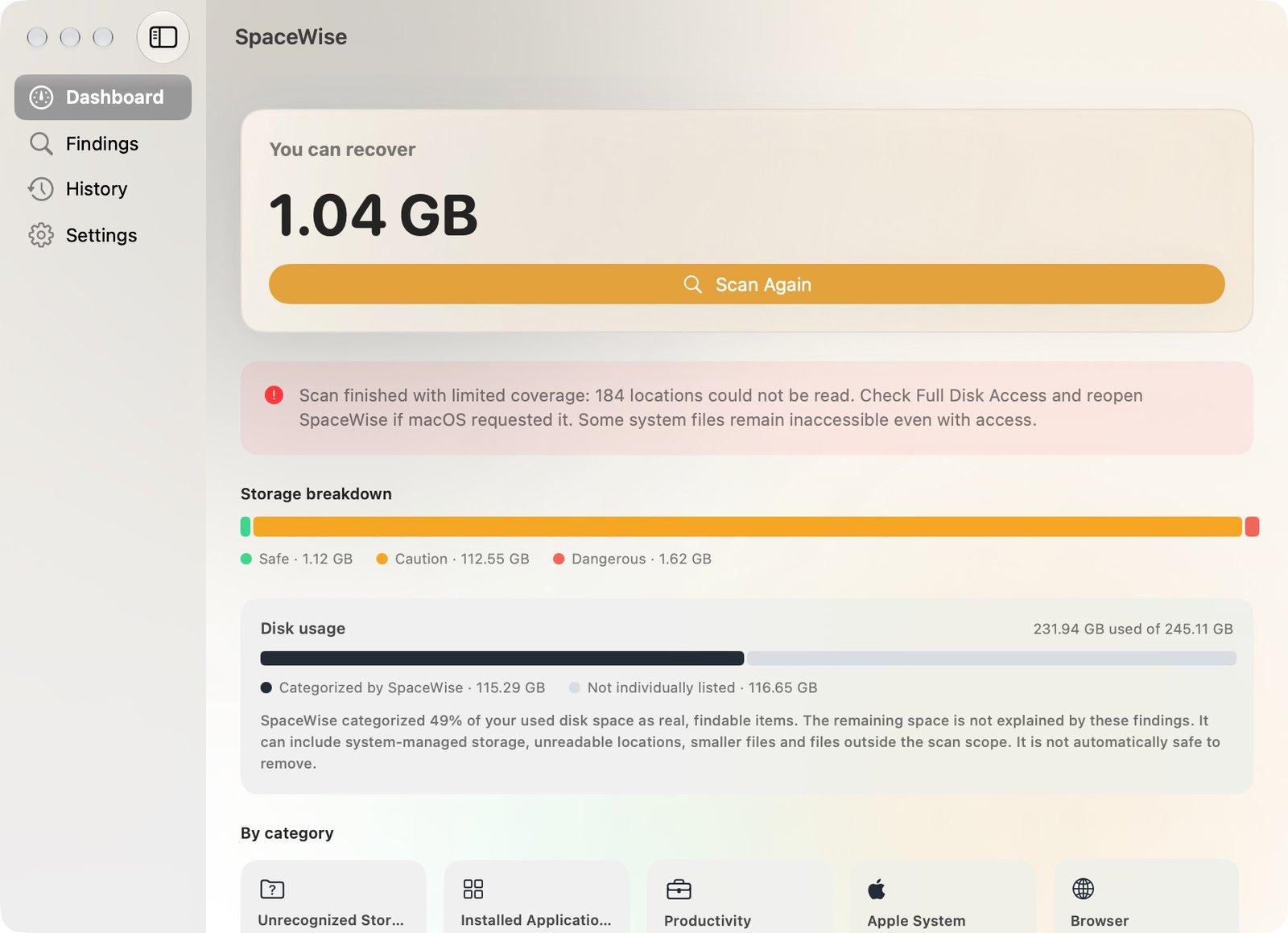
What SpaceWise is designed to do
SpaceWise scans local storage and explains recognized caches, logs, developer files, and other data before you decide what to do. Unrecognized items remain marked for review instead of being guessed at.
Each finding describes the likely impact of removal and the action SpaceWise will take. Some actions move files to Trash; others can be permanent. The app asks you to review and confirm before cleanup. It does not promise to identify every file or recover a particular amount of space.
Scanning and classification are designed to stay on your Mac. macOS permissions, snapshots, system-managed storage, and scan scope can leave some used space unexplained. SpaceWise reports those coverage limits.
Before cleaning
Review the paths and consequences, and keep a backup of important work. A large or old file is not automatically unused. Category actions cover items found in the scan, not every file that might exist in that category. Cloud file removal may affect other devices. Moving files to Trash does not immediately free their space.
Questions before release
If you want to know when the Apple-verified release is available, or have a question about storage coverage, cleanup actions, or privacy, contact SpaceWise. A person will review your message. Please do not include private file contents.