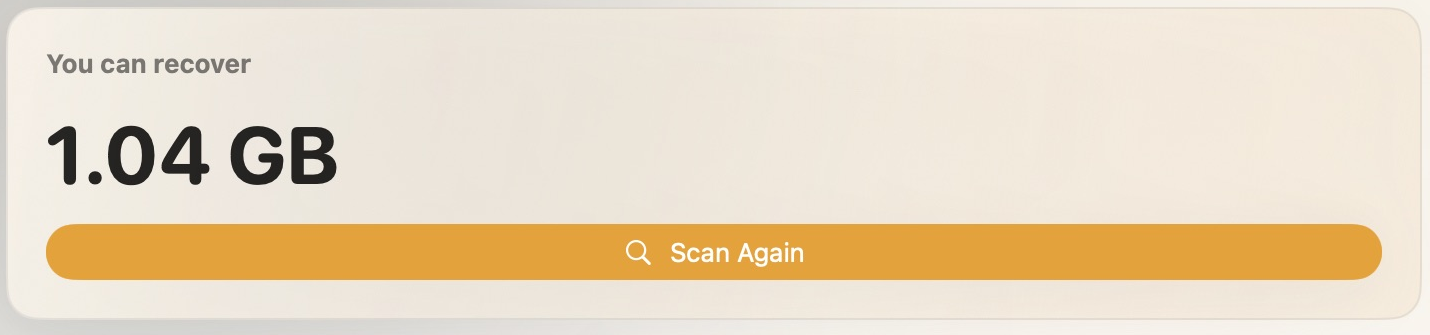
01 · POSSIBLE RECOVERY
An estimate based on the findings.
The figure only includes items SpaceWise identifies as eligible. Your result depends on your Mac.
A storage companion for your Mac
Find the files taking up room. Understand what they do. Then decide what you can live without.
Free personal use · macOS 14+ · Intel & Apple Silicon
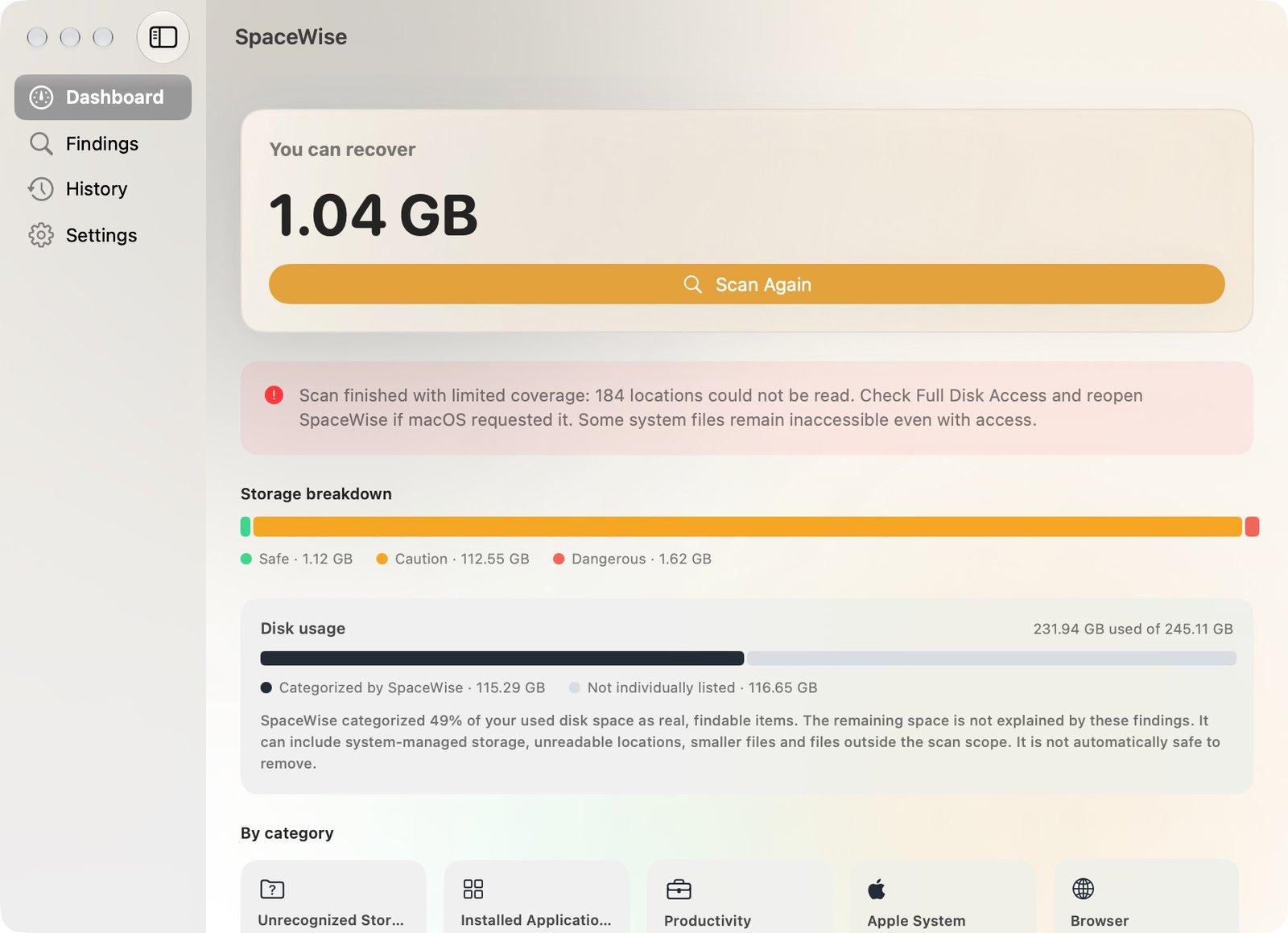
Inside the dashboard
Here are real details from the app’s dashboard: its recovery estimate, category breakdown, and the space it could not account for.
The figure only includes items SpaceWise identifies as eligible. Your result depends on your Mac.
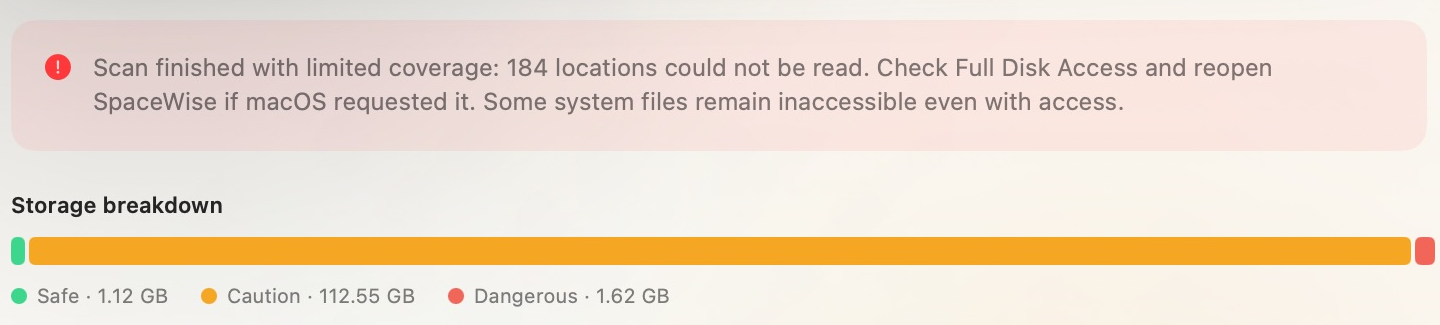
In this example, 116.65 GB was not individually listed. The app cannot safely identify that space as removable.
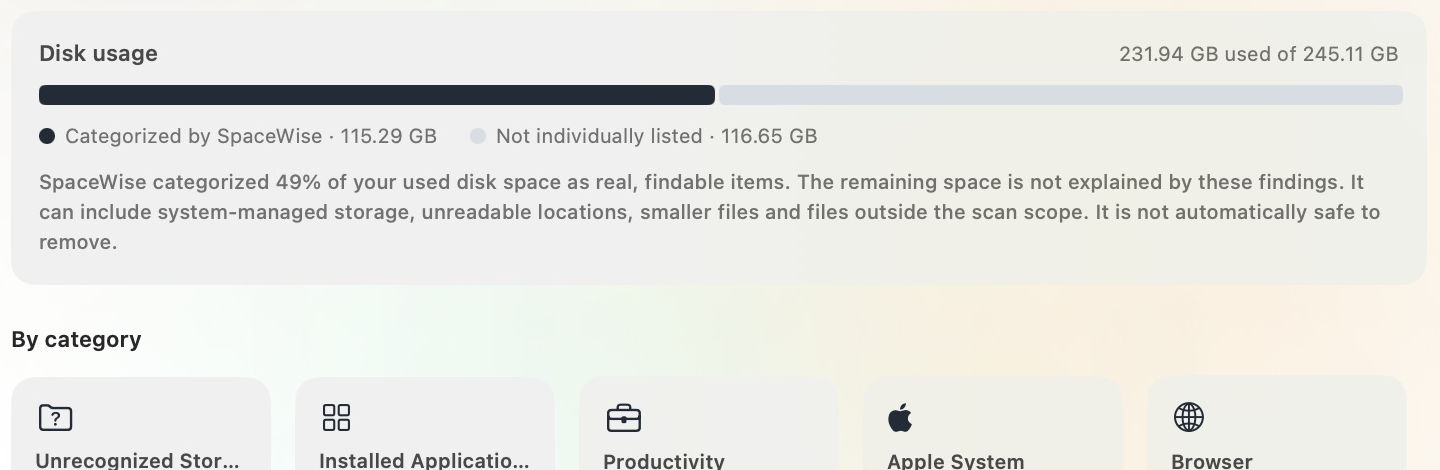
Categories show sizes and item counts, with unfamiliar files kept separate for review.
All three images are close-up details from the same genuine Build 8 dashboard screenshot above. They are not separate demo scans.
Your files stay on your Mac. Scan results are processed locally.
A test build is available. Apple signing and notarization are still pending. Read release status ↗

Made for real constraints
An update that will not fit. A download that stops halfway. A Mac you are not ready to replace. SpaceWise helps you understand what is taking up room before you decide what to remove.
It explains recognized files, shows unfamiliar items for review, and is honest when macOS keeps some storage out of reach.
Free personal use · See release status ↗Clarity before cleanup
Findings are grouped by category and risk. You can inspect the path, read why it matched, and choose what happens next. SpaceWise never treats a large file as disposable just because it is old or unfamiliar.

A closer look
Old downloads. App caches. Background logs. Some things can be rebuilt. Others matter more than their size suggests.
Browsers and apps keep caches to load things faster. SpaceWise identifies recognized cache locations and explains the matching rule before you choose an action.
Check the exact location and close the related app when requested. Clearing a cache may mean content needs to download again.
You’re in control
You don’t need to recognize every folder name. Start with a scan, read the findings, and leave anything you’re unsure about.
Open the release status ↗Scan accessible locations for large files and recognized storage categories. The dashboard also shows storage the scan couldn’t explain.
Review importance, removal consequences, and classification evidence. A large file is never safe to remove just because it’s large.
Review individual items or select eligible findings by category. Some actions use Trash; others permanently delete files. Keep a backup.

See recognized storage, read why it matters, and decide what to do. Items the scan cannot identify stay marked for review.
It gives you a way to look through storage without starting by deleting your own work. It explains recognized items, shows unfamiliar files for review, and keeps protected system data out of category cleanup.
It won’t find every byte or promise a fixed amount of recovered space. It gives you more information to make the decision yourself.
Compare your options ↗For your own Mac
Personal use is free with every feature included. The current download is a test build; Apple signing and notarization are pending.
Scan, review, and clean. Apple Silicon and Intel. macOS 14 or later.
View test downloadTest build only; macOS may block installation. Support and license activation are not available yet.
Want to support development? Optional support is not available while checkout is being prepared.
Using it for work? Business licensing is $15 per Mac per year. Read the terms ↗
Payments and license activation are not available yet. Ask about business use or team deployment.
Personal use is free, with every feature included. Support payments are not available yet. Organizational work needs a business license. See the license terms for the distinction.
No cleanup happens until you choose an action. Read the selected items and their consequences before confirming. Some actions permanently delete files. Eligible personal files require separate review and typed confirmation.
Version 1.0.1 (build 11) is available as a test download. It is not Developer ID signed or notarized, so macOS may block it. If you need an Apple-verified installer, please wait for the signed release. See the version history and update notes for progress.
No. macOS permissions, snapshots, system-managed storage, and scan scope can leave some space unclassified. The dashboard reports coverage limits. Full Disk Access helps with protected locations but doesn’t make every file readable.
No. Scanning and classification happen on your Mac. License checks contact Lemon Squeezy when a license key is entered or saved. Read the privacy policy for details.
It depends on your files and choices. Moving a file to Trash does not free space until Trash is emptied, and APFS snapshots can retain storage. There is no promised recovery amount.
Start by taking a look